Case study · Agentic development experiment · 2026
KilnA tiling Wayland compositor, and the desktop around it.
A lightweight, keyboard-first desktop for Linux, written in Rust on Smithay. It covers the compositor, the bar, notifications, a launcher and a suite of system apps, all driven by one TOML file that reloads on save. It's my daily driver on a three-monitor workstation.
Kiln was built as a learning experiment in agentic development: how far a single developer can take a large systems project by directing AI agents, using sub-agents, spec-driven development, custom skills, MCP and harnesses that let agents test their own work.
- Role
- Solo: design, engineering, UX
- Method
- Agentic, spec-driven
- Timeline
- Oct – Nov 2026
- Runs on
- DRM/KMS from a TTY, or nested
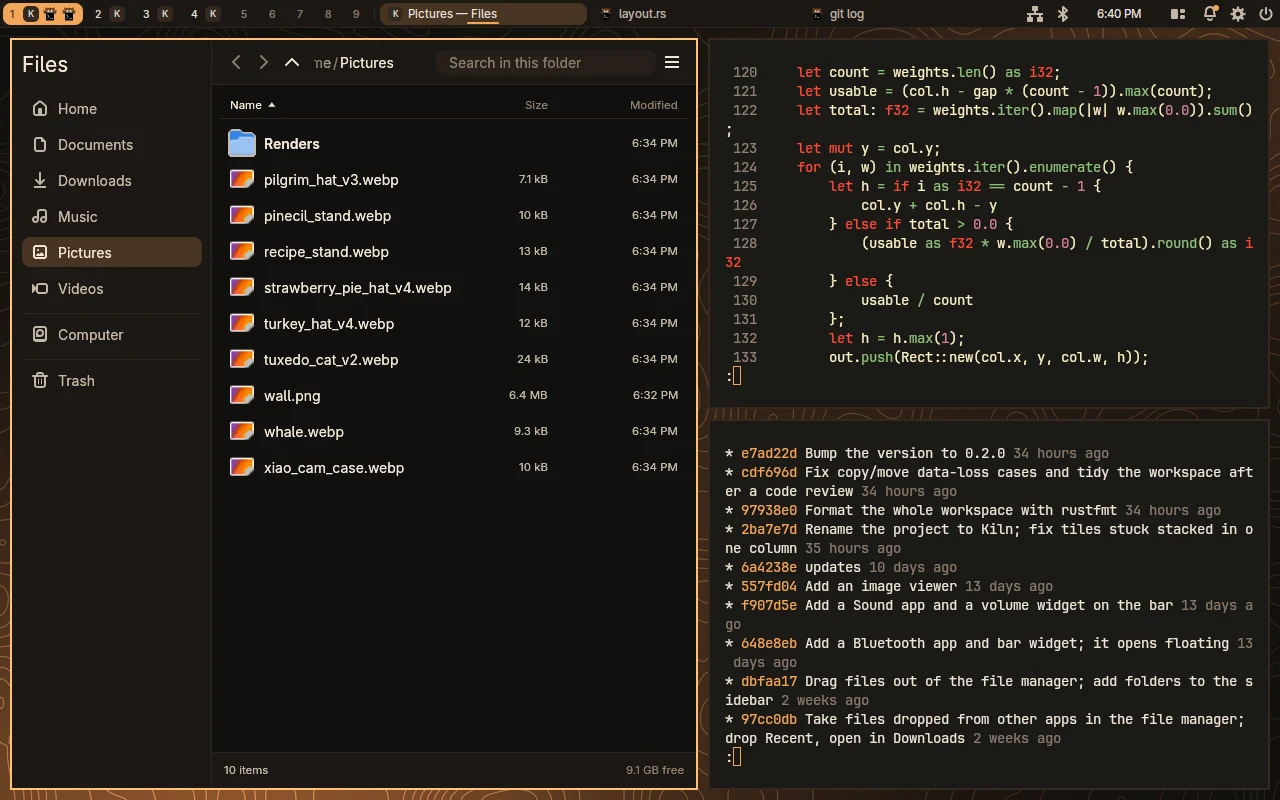
Master/stack tiling with the built-in bar: workspaces, one tab per window, status widgets, clock, layout switcher and power menu.
46k
lines of Rust
30+
Wayland protocols
9
bundled desktop apps
156
unit tests
The problem
Tiling window managers are fast and keyboard-driven, but the desktop around them is assembled from a dozen separate tools, each with its own config language and look. Full desktops are cohesive but heavy, and the keyboard comes second.
The approach
Build the whole thing as one Rust workspace that shares one config and one theme: compositor, bar, notifications, launcher, settings and system apps. It still speaks the standard protocols, so waybar, fuzzel, grim and swayidle work alongside it or instead of the built-ins.
How it was built
The goal was to learn agentic development on something too big to hold in one prompt: a compositor touching DRM, GPU rendering, input, D-Bus and thirty-odd Wayland protocols. Almost every commit was co-authored with Claude Code. The work was in building the process around the agents so their output could be trusted.
Spec-driven development
Each feature started as a written spec: behaviour, protocols involved, edge cases and how it would be verified. Agents built against the spec, and the spec, not the chat history, was the source of truth when work resumed.
Sub-agents
A lead agent planned the work and delegated focused tasks, such as researching a Wayland protocol, implementing a bundled app or reviewing a diff, to sub-agents with their own context, then integrated the results.
Learning harnesses
Harnesses that let agents check their own work: run the build and tests, launch a headless session, drive it with kiln msg and screenshot the result. A change counted as done only when the agent could show it working.
Skill development
Repeated workflows became reusable skills: capturing screenshots and clips, running a nested session, adding a config option end to end. Each skill was refined whenever an agent got it wrong.
MCP
Model Context Protocol servers gave agents tools beyond the shell, so they could reach documentation, references and the running desktop directly instead of guessing.
Human in the loop
I set direction, wrote and reviewed specs, made the design calls and used the result every day. Agents wrote most of the code; nothing merged that I hadn't run on my own machine.
In motion
Tiles glide into place
A new window takes the master slot, the stack reflows, then the layout switches from side-by-side to master-on-top. Only the drawing animates; input and layout never wait on it.
Overview with live thumbnails
Mod+Tab zooms the current workspace into its card. The thumbnails are the real windows drawn smaller, so they stay live; click one to zoom back in.
Workspaces slide
Per-monitor workspaces in the dwm tradition. Switches slide or fade, and three- and four-finger swipes on a touchpad change workspace or open the overview.
A launcher that learns
Fuzzy search over installed apps’ names, keywords and descriptions, with the ones you start most at the top. Text that matches no app runs as a command.
Real-time captures of a headless session at 60 fps. Nothing is sped up or retimed.
A desktop, not just a window manager
The utilities a tiling setup usually borrows from other desktops are built in and share the compositor's theme, so the whole session looks like one product. They're written with egui, styled by the shared kiln-ui crate, and the lock screen and password prompt are drawn with the compositor's own CPU renderer.
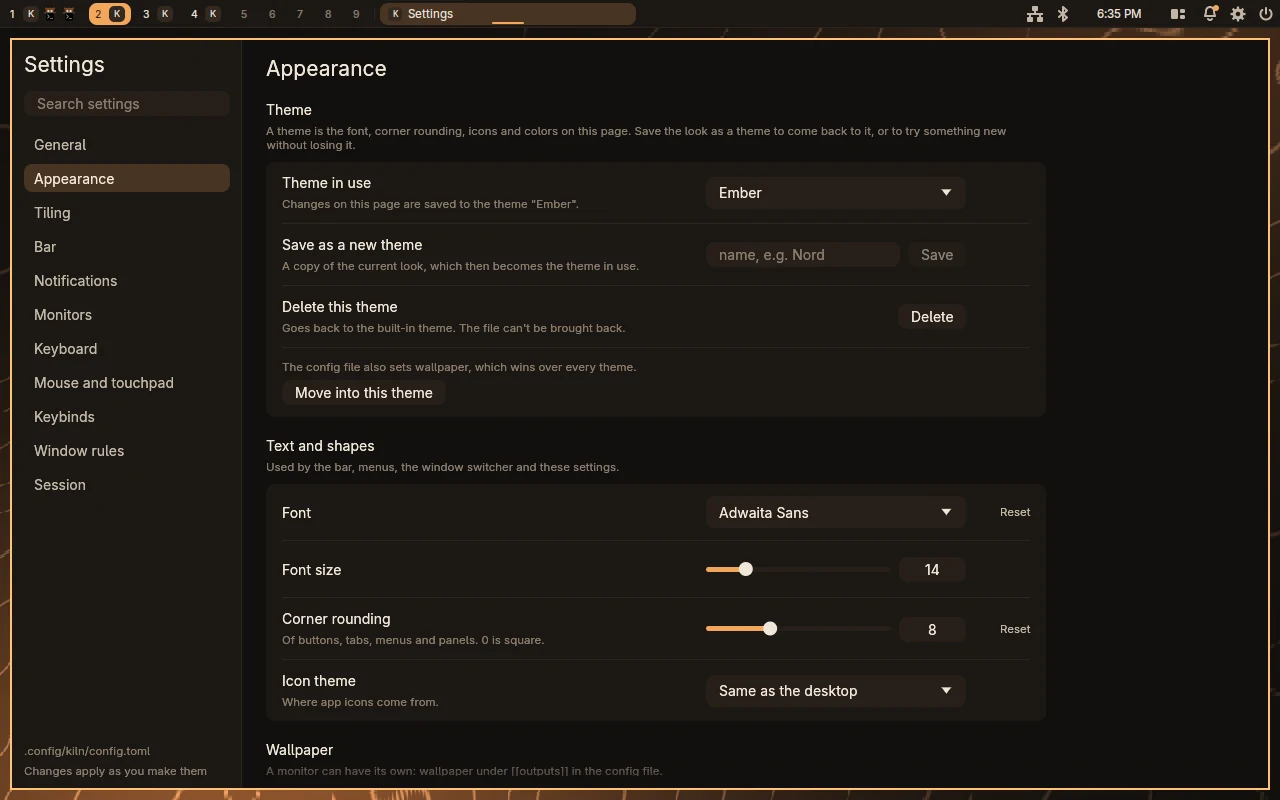
The config file, in a window. Edits are validated by the compositor’s own loader and applied live.
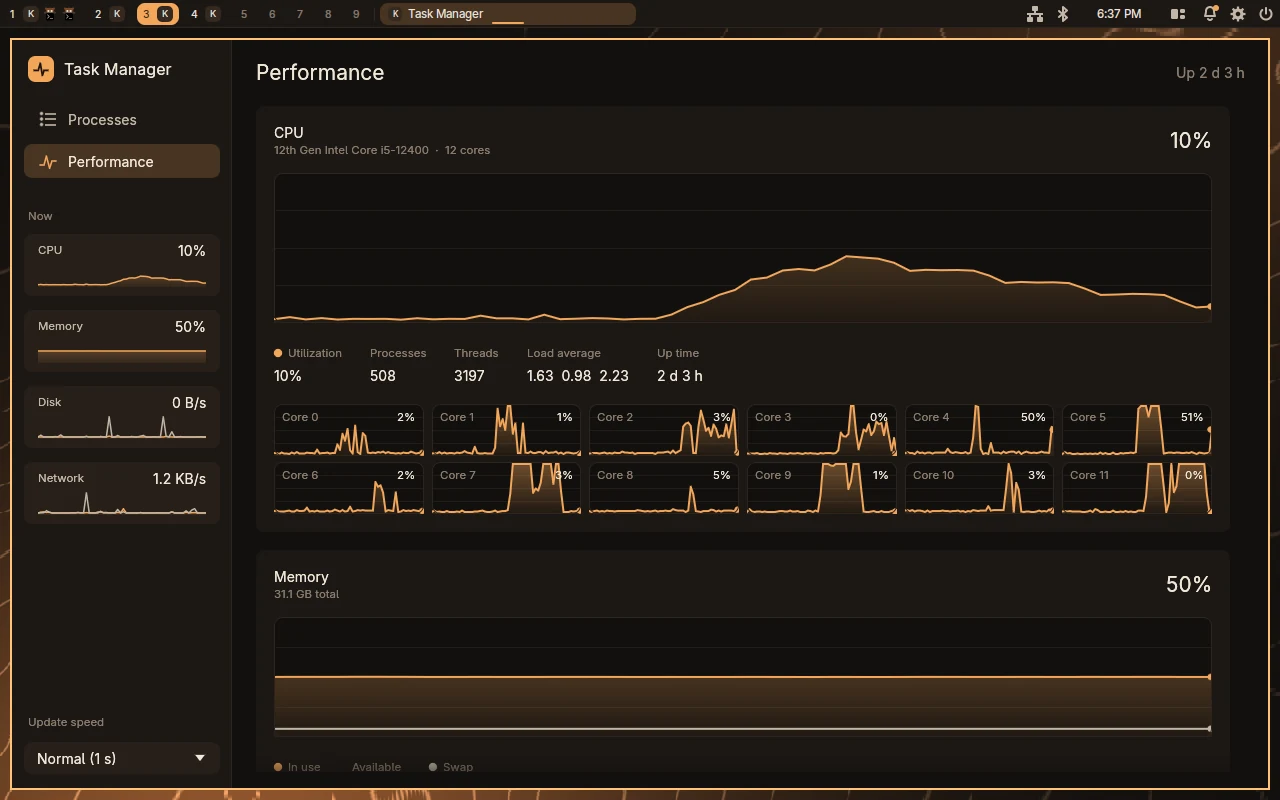
Processes to search, sort and end, plus a minute of CPU, per-core, memory, disk and network history.
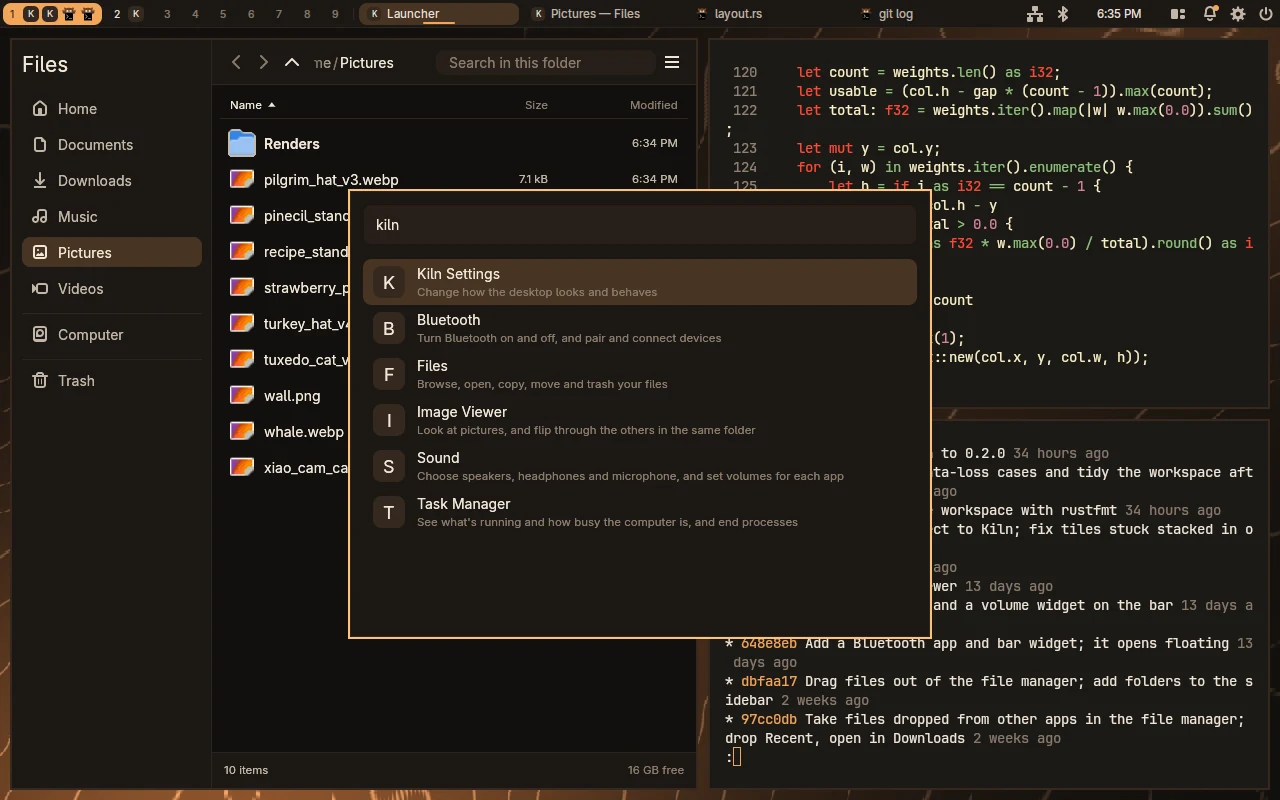
The bundled apps, one search away: Settings, Bluetooth, Files, Image Viewer, Sound and Task Manager.
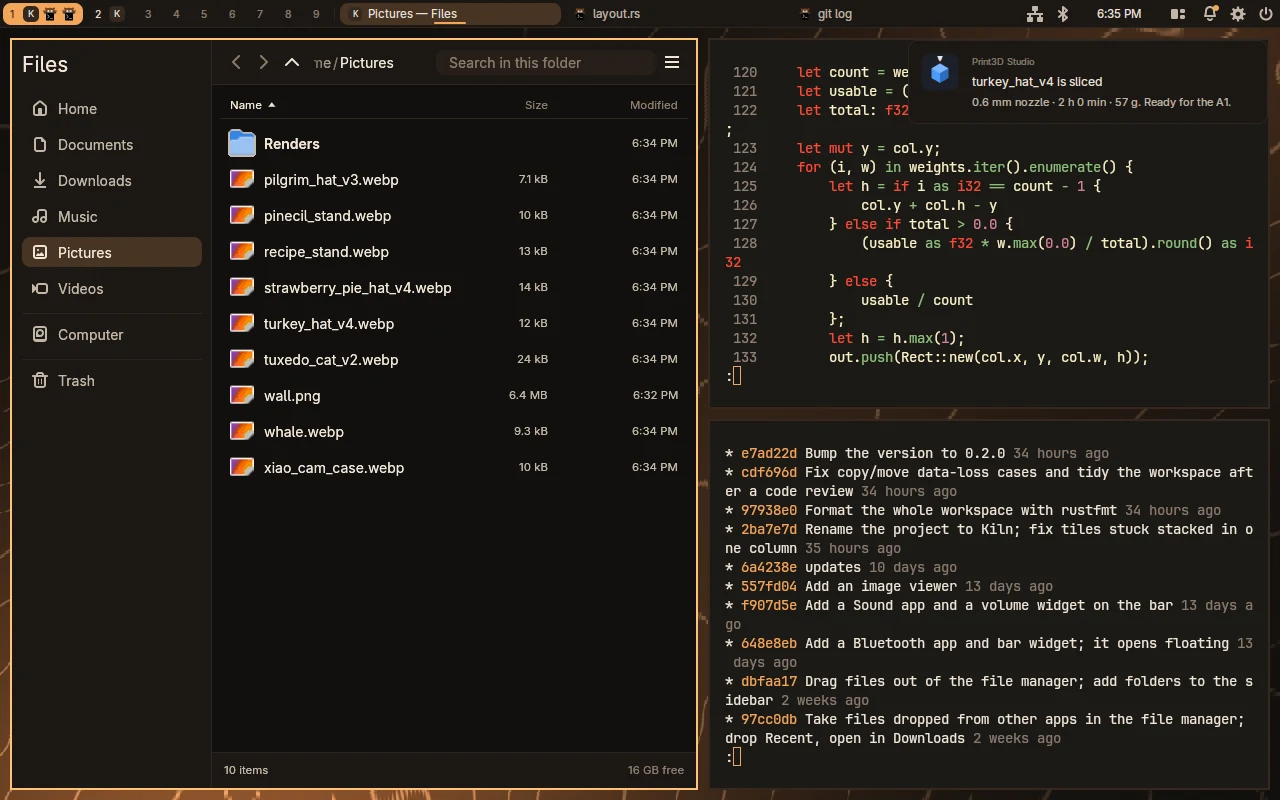
A notification daemon in the compositor: pop-ups with actions, do not disturb, and a bell that keeps what you missed.
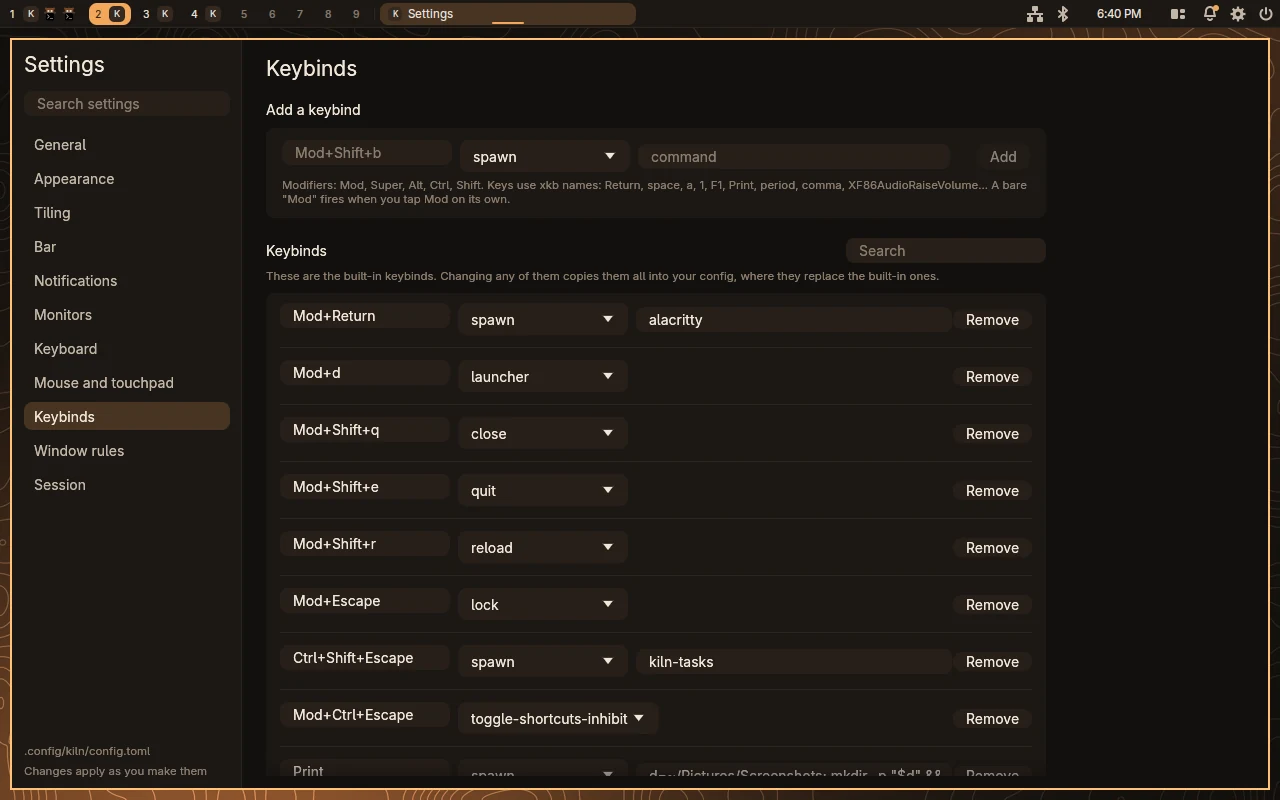
Keybinds as data: any action the compositor knows, bound to any chord, or scripted from a shell with kiln msg.
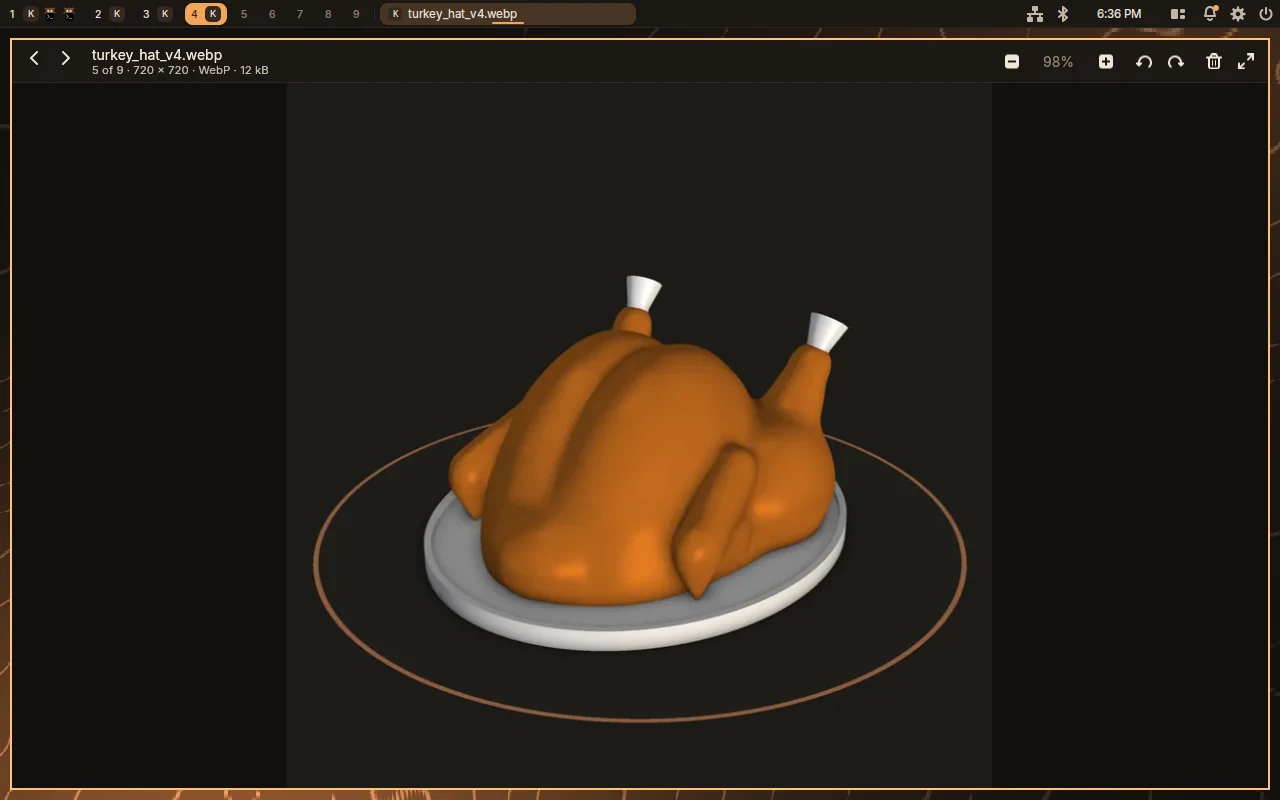
Flips through a folder with the next pictures decoded ahead, zooms around the pointer, and plays animated GIF, WebP and PNG.
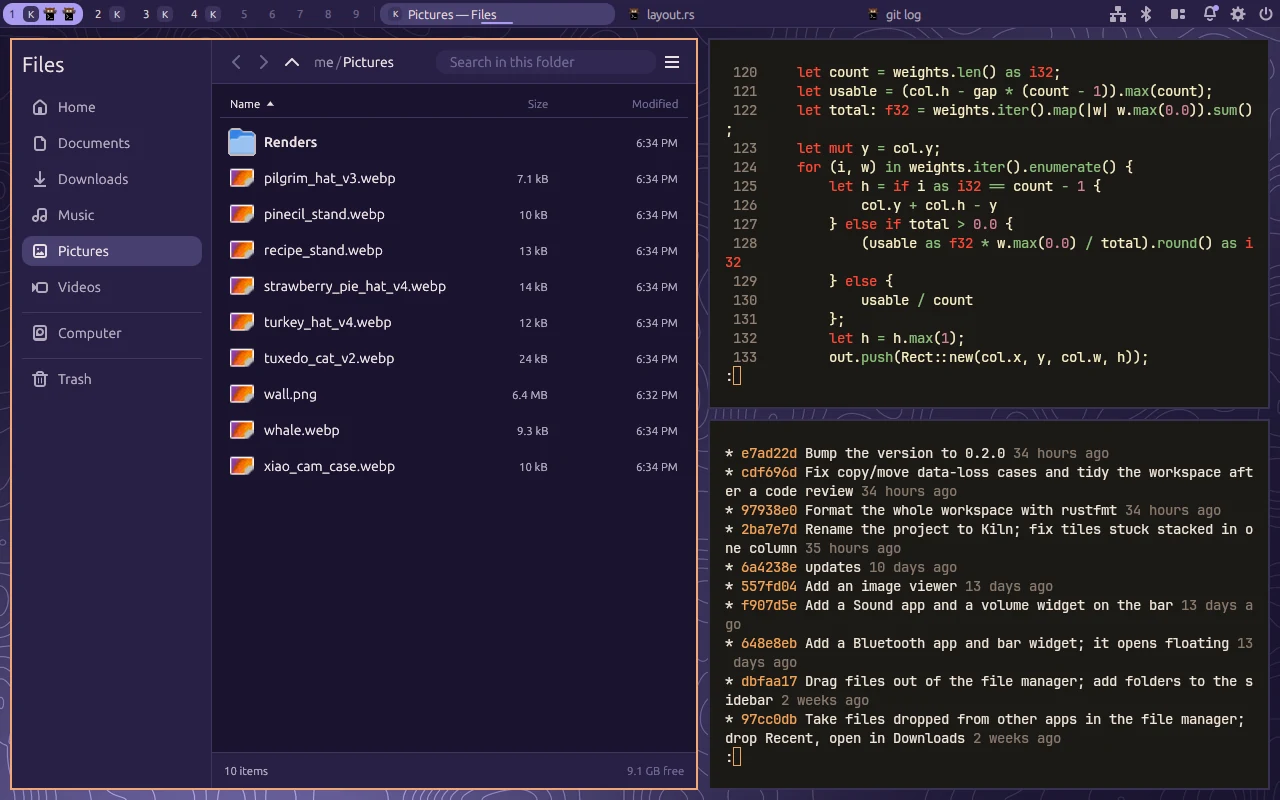
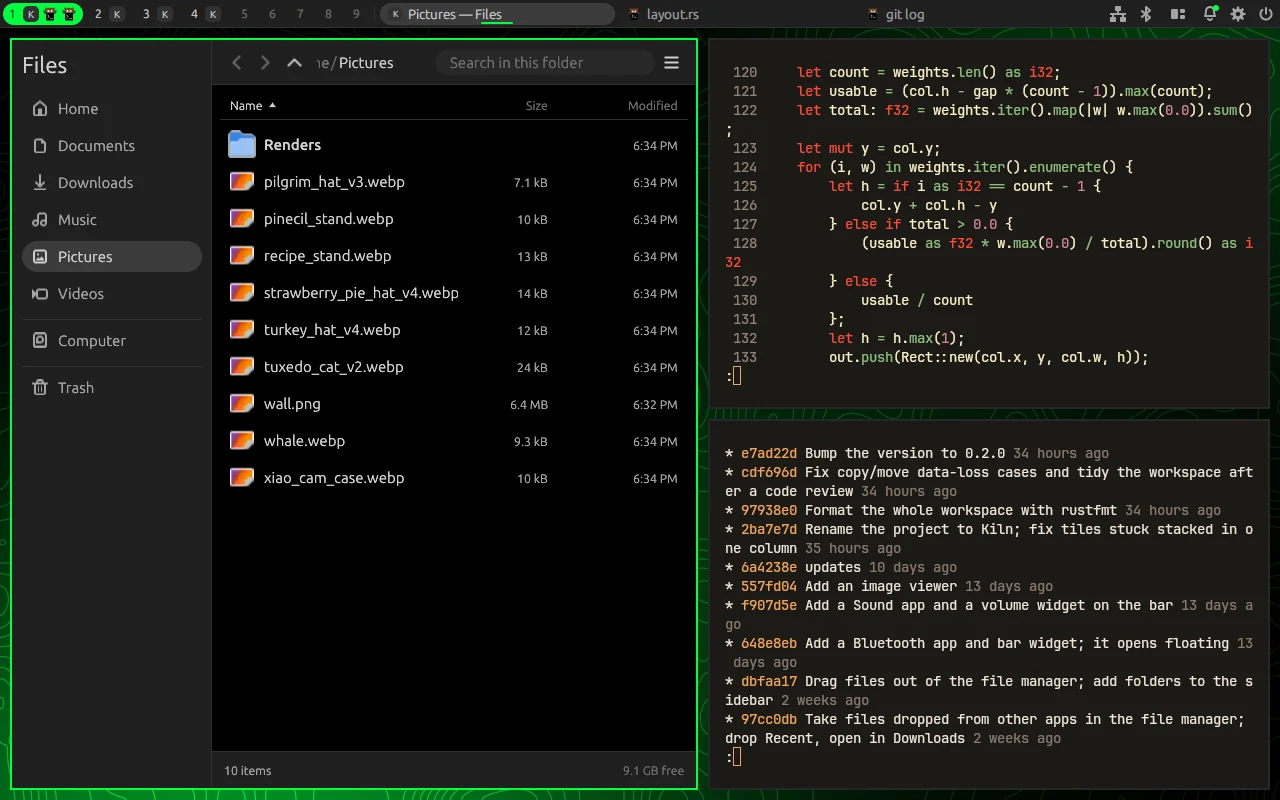
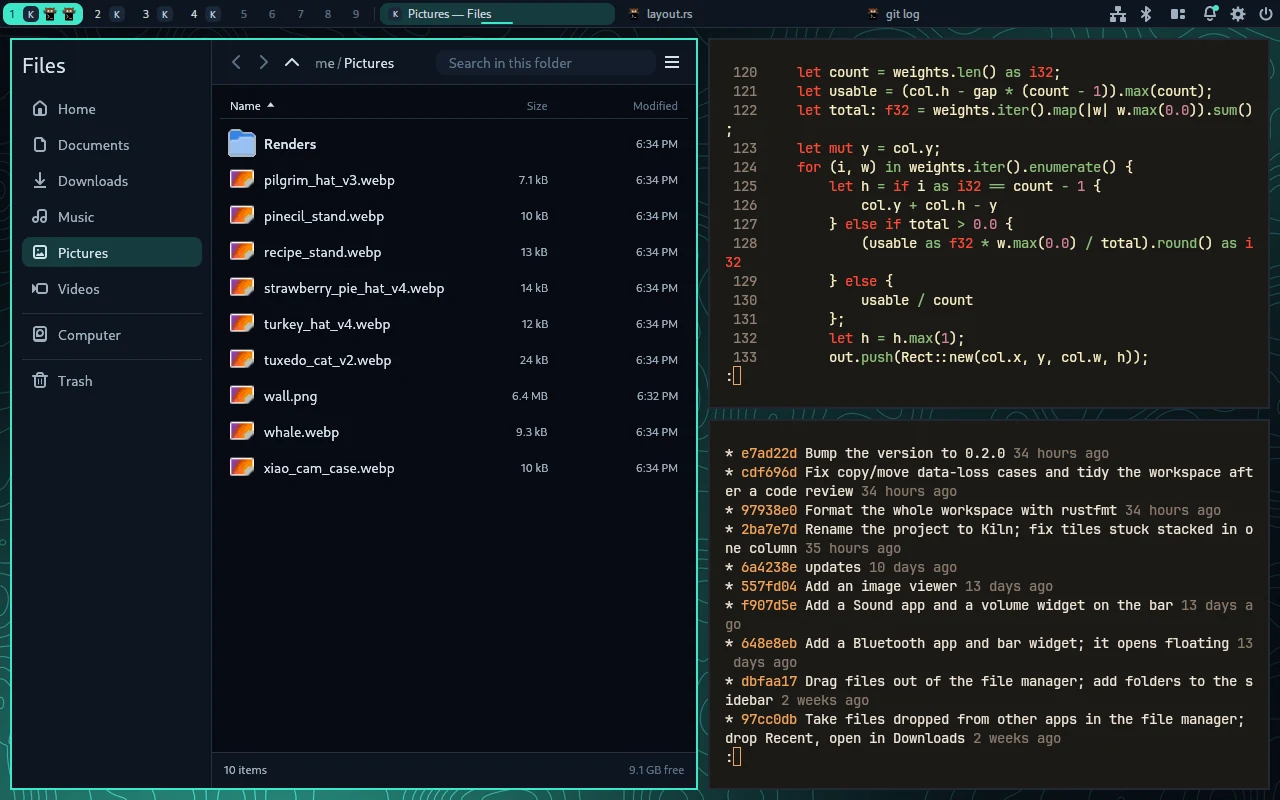
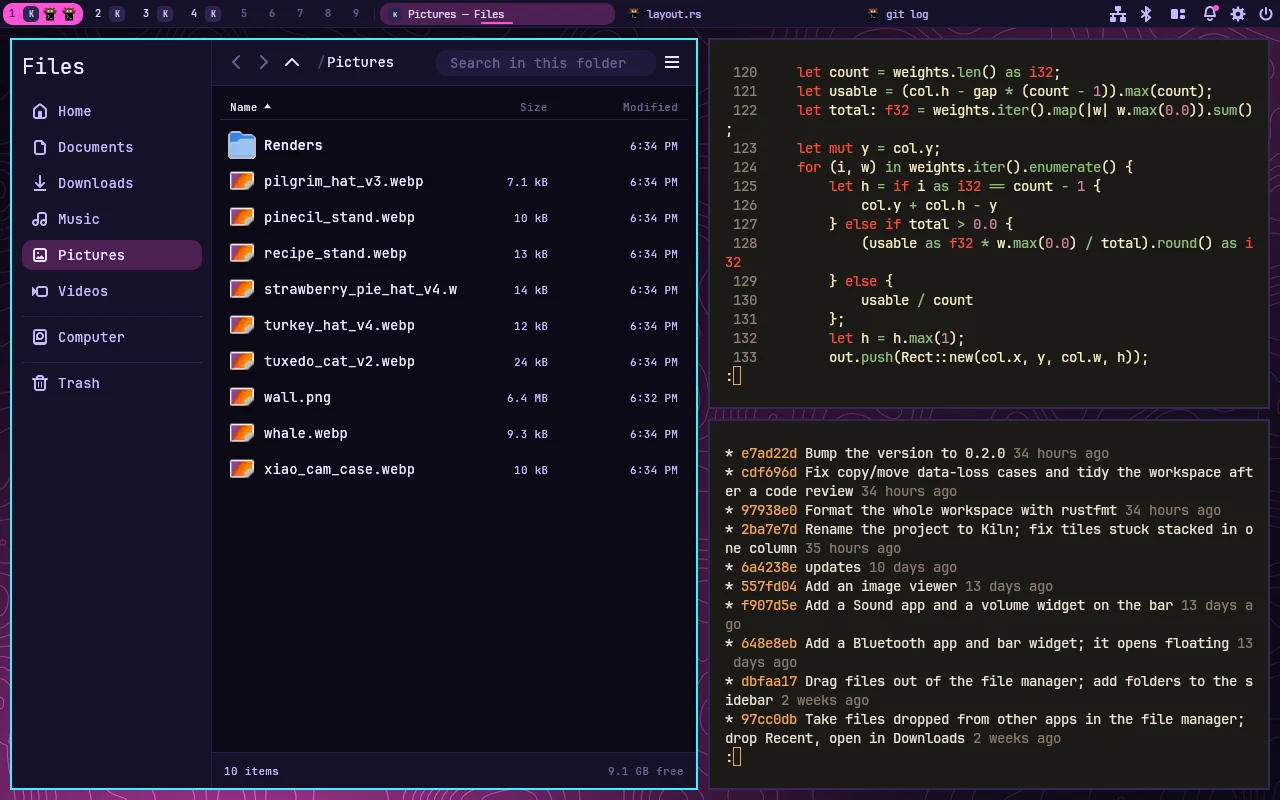
One theme, everywhere
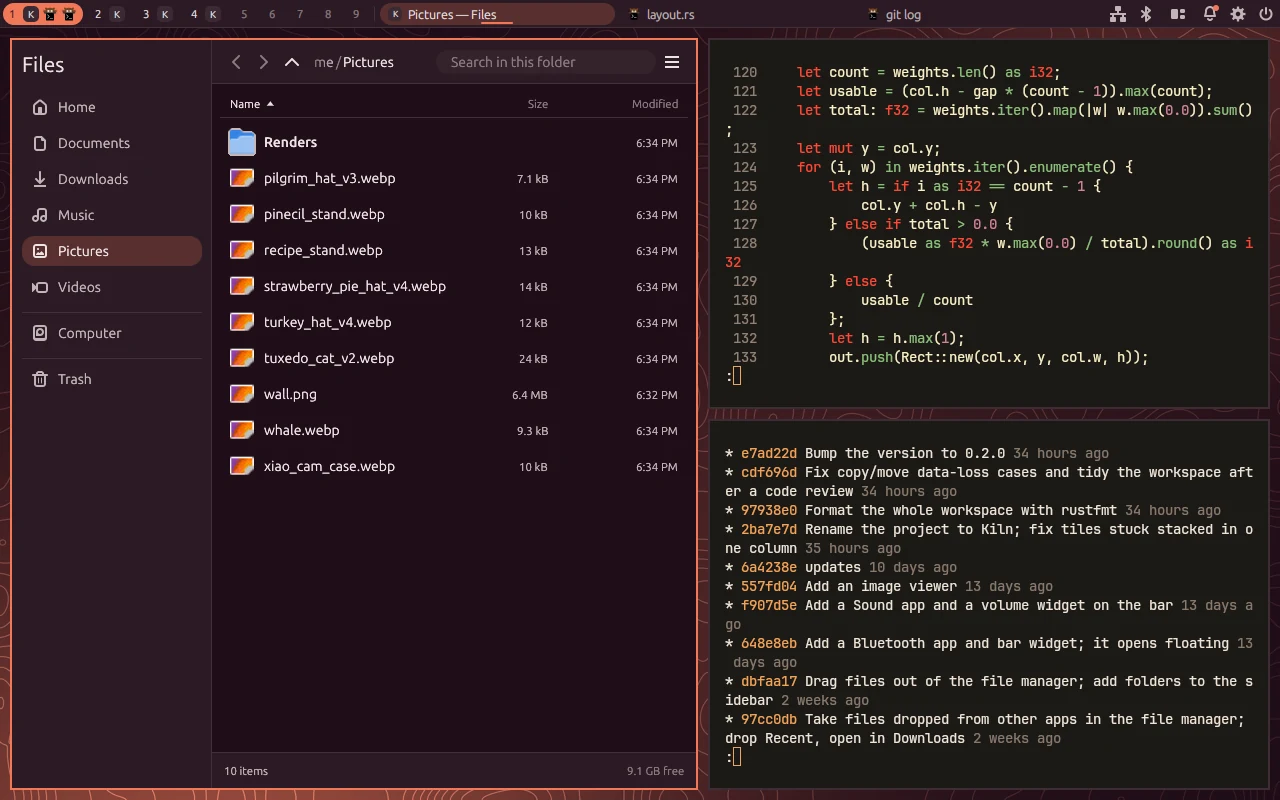
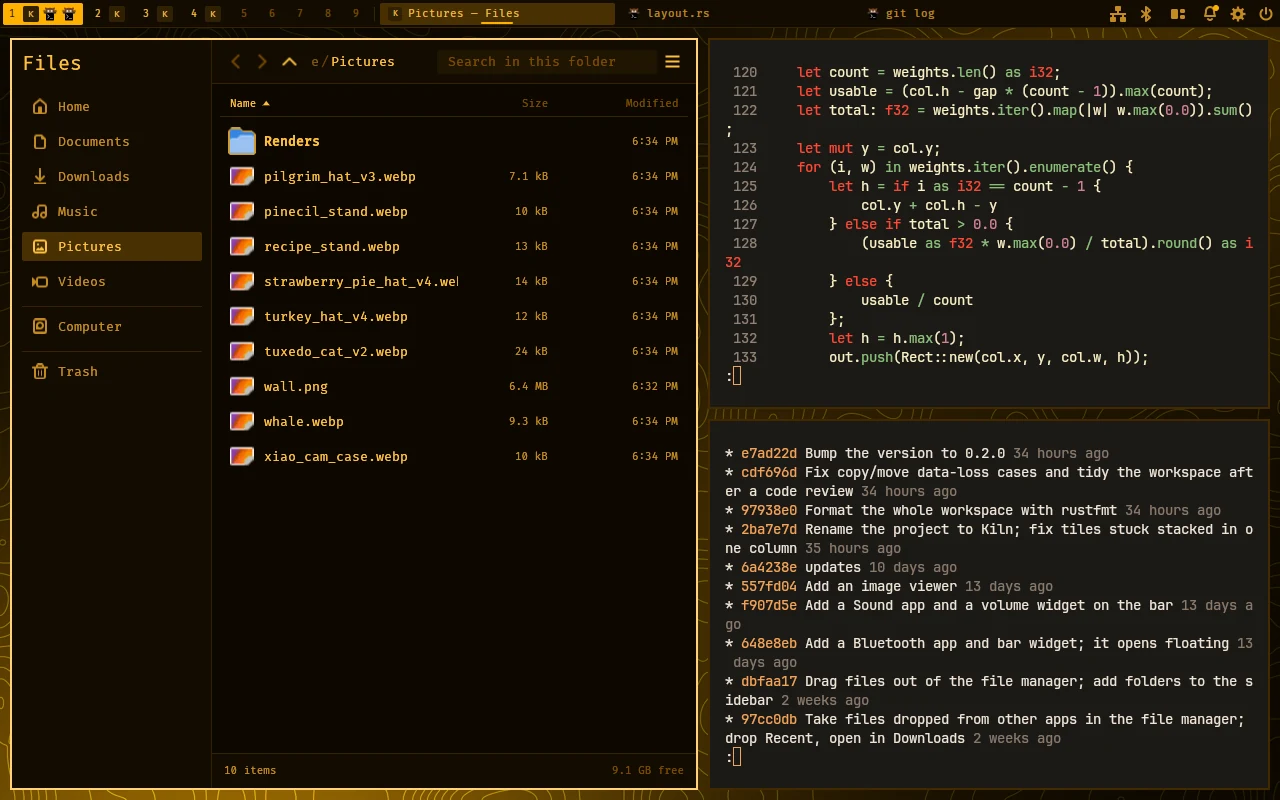
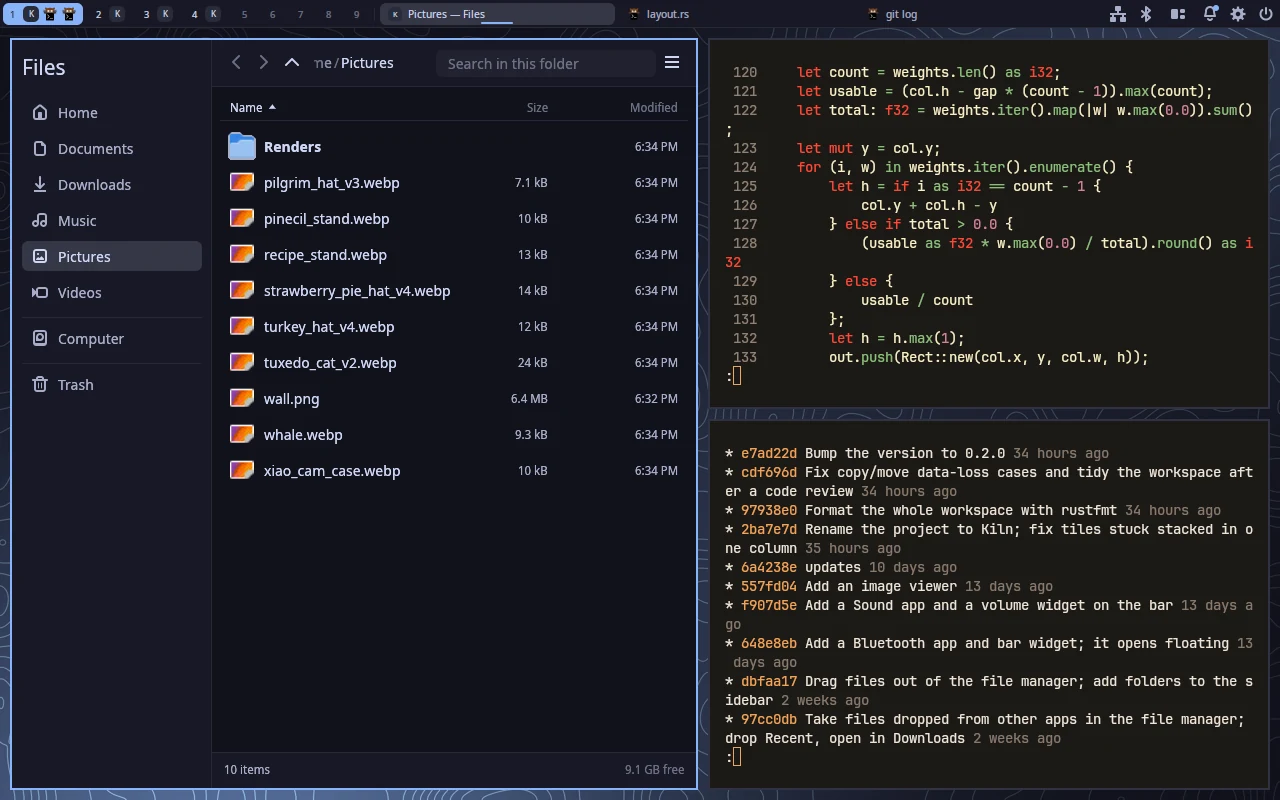
Colours are named once and referred to by name. Shades are expressions over the palette, so changing surface or accent recolours the bar, borders, menus, lock screen and every bundled app together.
Themes are small files you can save, switch and share. Editing the one in use reloads it like the config. Below is the same session under eight of them; only the theme name changed.
# ~/.config/kiln/themes/Ember.toml
font = "Adwaita Sans"
radius = 8

[colors]
amber   = "#f2a65a"
surface = "#1c1814"
accent  = "amber"
hover   = "mix(surface, clay, 0.16)"
drag_box = "alpha(accent, 0.18)"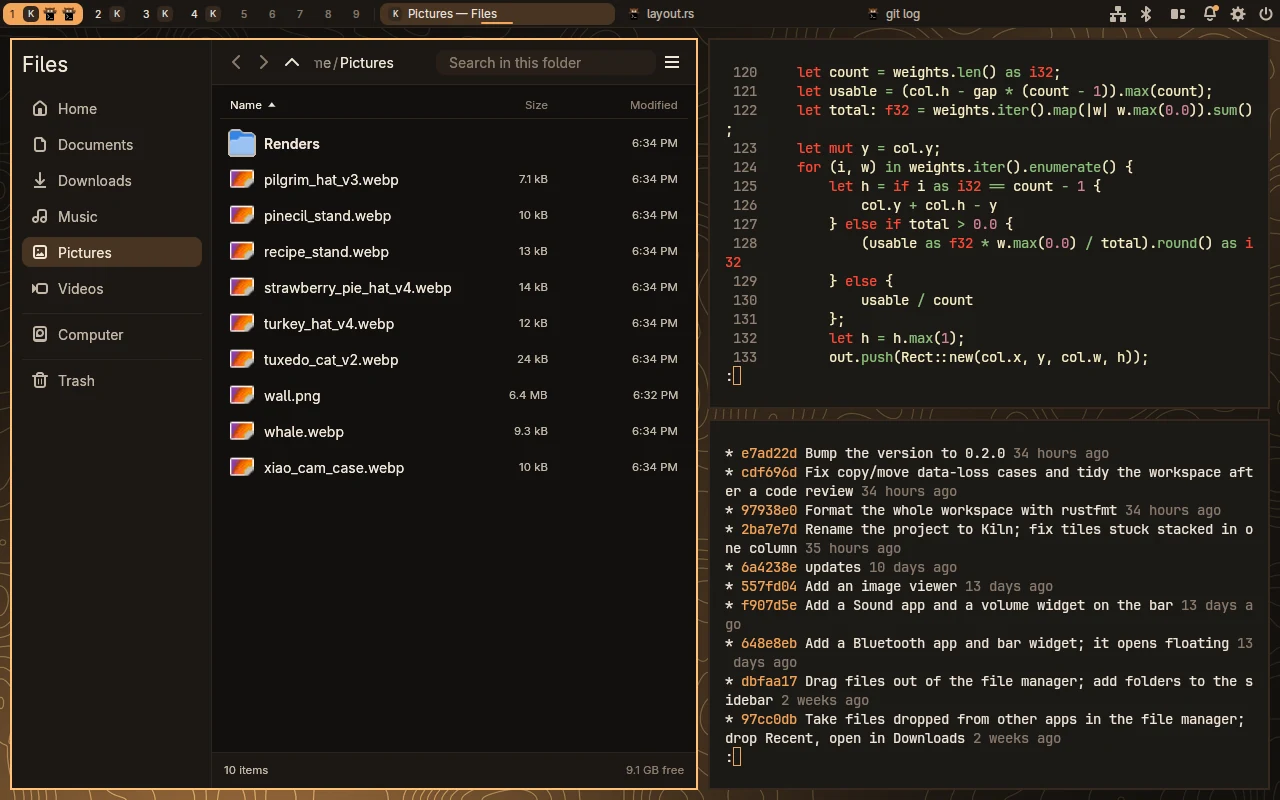
Engineering highlights
Idle costs nothing
Frames are scheduled only when something changes, and damage tracking repaints just the regions that did. The bar, menus and overview cards are painted on the CPU once and cached, so a still desktop does no work at all.
Animations that never block
The scene always holds each window's real position. Only drawing is offset, so a tile glides from where it was while input, clients and layout already see the new slot. Nothing waits on a transition.
An HDR pipeline on GLES
On an HDR monitor everything composites into a half-float buffer, then a final pass encodes BT.2100 PQ with SDR white at an adjustable brightness. Colour-managed surfaces go through a conversion shader and are tone-mapped onto SDR screens. Shader tests read back the half-float pixels.
Settings that can’t break your desktop
The settings app edits a toml_edit document, so comments and layout survive. Each change is checked with the compositor's own config loader and written only if it loads. A broken config is rejected whole, and the last good one stays active.
Zero-copy where it matters
Direct scanout and hardware cursor planes on real hardware. Screen recorders and screen sharing can take frames as GPU buffers (dmabuf) that never touch the CPU, and fullscreen games can opt out of vsync through tearing control.
Upstream-sized patches
Tearing page flips and per-monitor 10-bit buffer formats needed changes Smithay doesn't have yet. They're vendored as small, documented patches. An async flip the kernel refuses falls back to a normal vblank-synced one.
Sessions that come back
Open apps are relaunched at login with every window back on its monitor, workspace, tiling slot and float position. A change is saved only once it has lasted a few seconds, so apps that close during shutdown aren't remembered as closed.
Testable without a screen
A headless backend renders offscreen at 60 Hz, and kiln msg injects pointer, click and key events. Every screenshot and clip on this page was captured that way, from a scripted session.
Architecture
Compositor & shared crates
- src/
- The compositor: backends, protocol handlers, layout, bar, overview, animations
- kiln-config
- Config and theme: defaults, parsing, validation, keybinds, colour expressions
- kiln-ui
- Turns [theme] into egui styling and fonts for every app
- kiln-draw
- CPU text and shapes (hinted, subpixel) for the bar, menus and lock screen
- kiln-icons
- Icon themes, .desktop lookups, tinted symbolic icons, PNG and SVG
- kiln-pipewire
- Devices, streams and volumes from PipeWire for Sound and the bar
apps/ · bundled desktop apps
- settings
- The config file in a window, with a drag-to-arrange monitor map
- launcher
- Fuzzy app search, most-used apps first
- files
- Portal file picker and a file manager with trash and drag and drop
- tasks
- Process list and performance graphs
- sound · bluetooth
- PipeWire and BlueZ front ends, with bar widgets
- lock · polkit
- PAM lock screen and an admin-password agent
Configuration
Anything left out uses the default, so a config can be a few lines. It reloads on save, and errors are all reported at once while the last working config stays live.
[layout]
gaps_inner = 10
smart_gaps = true

[[outputs]]
name  = "DP-1"
mode  = "2560x1440@144"
hdr   = true

[[rules]]
app_id    = "firefox"
workspace = 2
Scripting
Every action a key can be bound to is also a command on a Unix socket, so the desktop can be scripted, tested and driven by other programs.
$ kiln msg "workspace 3"
$ kiln msg overview
$ kiln msg "layout vertical"
$ kiln msg "spawn kiln-tasks"

# headless tests: fake input + grim
$ kiln -b headless &
$ kiln msg "test-pointer 980 140"
$ kiln msg test-clickTakeaway
Agents can build serious systems software when they work inside a good process. Clear specs, focused sub-agents and harnesses that let them verify their own work made the difference between plausible code and a desktop I use every day.